1
/
of
9
ALUMUINK
910XL Ink Cartridges Compatible for HP 910 910XL, High-Yield Replacement Ink Cartridge 4-Pack, Black Cyan Magenta Yellow, for OfficeJet 8015 and OfficeJet Pro 8025 8028 8034 8035 Printers
910XL Ink Cartridges Compatible for HP 910 910XL, High-Yield Replacement Ink Cartridge 4-Pack, Black Cyan Magenta Yellow, for OfficeJet 8015 and OfficeJet Pro 8025 8028 8034 8035 Printers
Regular price
$118.23 USD
Regular price
Sale price
$118.23 USD
Unit price
/
per
Couldn't load pickup availability
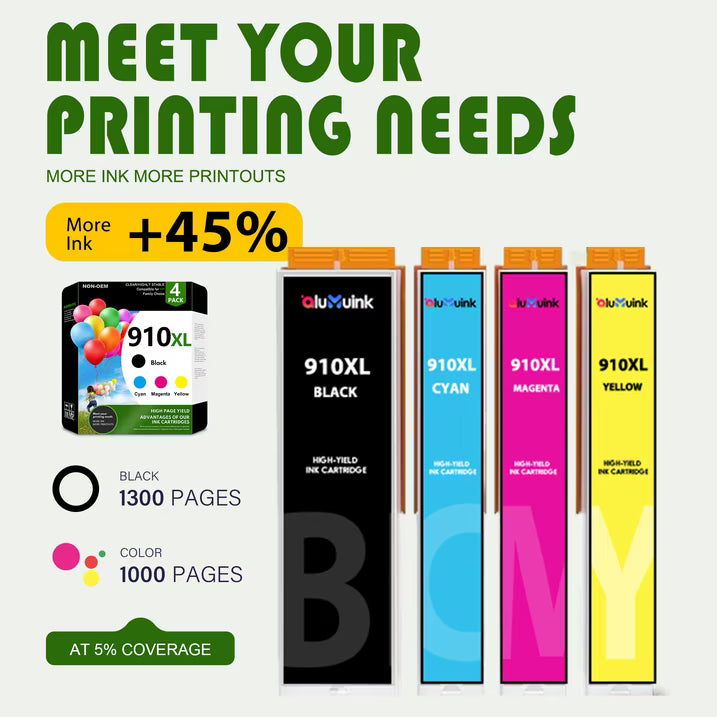
- 📦️ Complete 910XL 4-Color Ink Cartridge Set Package includes 1 Black, 1 Cyan, 1 Magenta, and 1 Yellow compatible 910XL ink cartridge. This complete replacement set is suitable for printing business documents, school assignments, reports, charts, presentations, and everyday color materials. Packaging appearance may vary due to warehouse fulfillment, but the cartridge model, colors, and quantity inside remain the same.
- 📃 High-Yield Capacity for Frequent Printing The 910XL Black ink cartridge prints up to 1,300 pages, while each Cyan, Magenta, and Yellow cartridge prints up to 1,000 pages based on 5% page coverage. The high-yield design provides more printable pages and helps reduce the frequency of cartridge replacements, making it a practical choice for home offices, schools, and small businesses.
- 🖨️ Compatible with Multiple OfficeJet Printers Designed for printers that use HP 910 or 910XL cartridges, including OfficeJet 8010, 8012, 8013, 8014, 8015, and 8015e, as well as OfficeJet Pro 8020, 8022, 8024, 8025, 8025e, 8028, 8028e, 8030, 8034, 8034e, 8035, and 8035e series printers. Please check your printer model and required cartridge number before purchasing. HP officially lists the 910/910XL family for OfficeJet 8015e and OfficeJet Pro 8020/8030-series models.
- 🎨 Sharp Text and Rich, Consistent Colors Formulated to deliver clear black text, smooth color transitions, and vivid images without noticeable fading, streaking, or smudging during normal use. The separate black, cyan, magenta, and yellow cartridges allow you to replace only the color that runs out, helping reduce unnecessary ink waste while maintaining consistent print quality.
- ⚠️ Easy Installation with Helpful Customer Support Before installation, gently invert each cartridge for 1–2 minutes to redistribute the ink, then remove the orange protective cap without touching the chip or ink outlet. Insert the cartridge firmly until it clicks into place. If recognition issues occur, clean the cartridge chip and printer contacts with a soft, lint-free cloth, reinstall the cartridge, and restart the printer. This is a compatible, non-original product and is not recommended for printers enrolled in HP+ or Instant Ink; HP states that activated HP+ printers require Original HP ink.
Share